
Free Staging EnvironmentTest Freely, Deploy Confidently
Preview and perfect your website changes in a secure, private space before going live.
Ensure flawless updates by testing everything safely first.
Safeguard Every Update
Keep your live experience stable while you experiment in a protected staging environment.
Private Preview URL
Share unique, non-indexed links for review without exposing unfinished work.
Mirror of Production
Test accurately in an environment that reflects your live setup.
One-Click Promote
Go live instantly when your changes are approved.
Never Risk Your Live Site Again
Edit and experiment with complete peace of mind. WebbsAI's staging environment provides a safety net so your live audience only sees polished, approved updates.
Private, Secure Previews
Each staging deployment generates a unique, non-indexed URL so only trusted collaborators can view your work-in-progress.
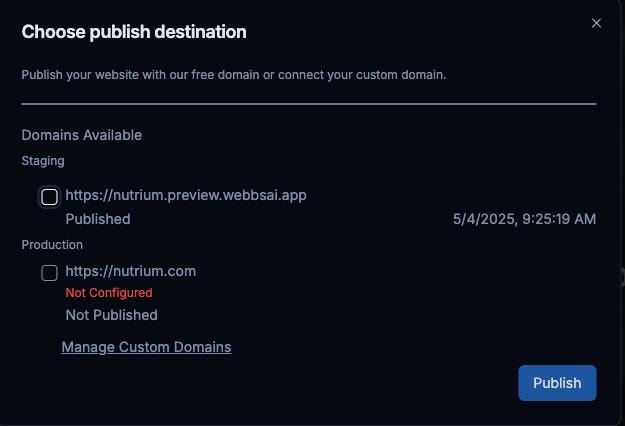
Seamless Live Deployment
Transitioning from staging to live is effortless. Once your changes are tested and approved, a single click promotes the exact staging version to become your new live website.
How Staging Works
Deploying with confidence is a simple, three-step process.
1. Deploy to Staging
Make your edits and push them instantly to your private staging URL instead of live.
2. Review & Collaborate
Access the unique URL to preview changes and share it with your team for feedback.
3. Promote to Live
Satisfied? Promote the tested staging version to your live website with a single click.
Frequently Asked Questions
Everything you need to know about staging your site with WebbsAI.
Is the staging environment included in all plans?
How do I push changes to staging?
Can multiple team members access the staging site?
Does editing in staging affect my live site?
Want to Test Your Website Updates Safely?
Gain the confidence to innovate. Explore WebbsAI plans that include the essential staging environment feature.
Discover WebbsAI Pro PlansBuild better, deploy safer.